Contract 01
Marketing services retainer
- Client
- Maya Chen
- Last updated
- Sep 4, 2026
Clause helps freelancers and independent businesses create, customize, send, sign, and manage agreements.
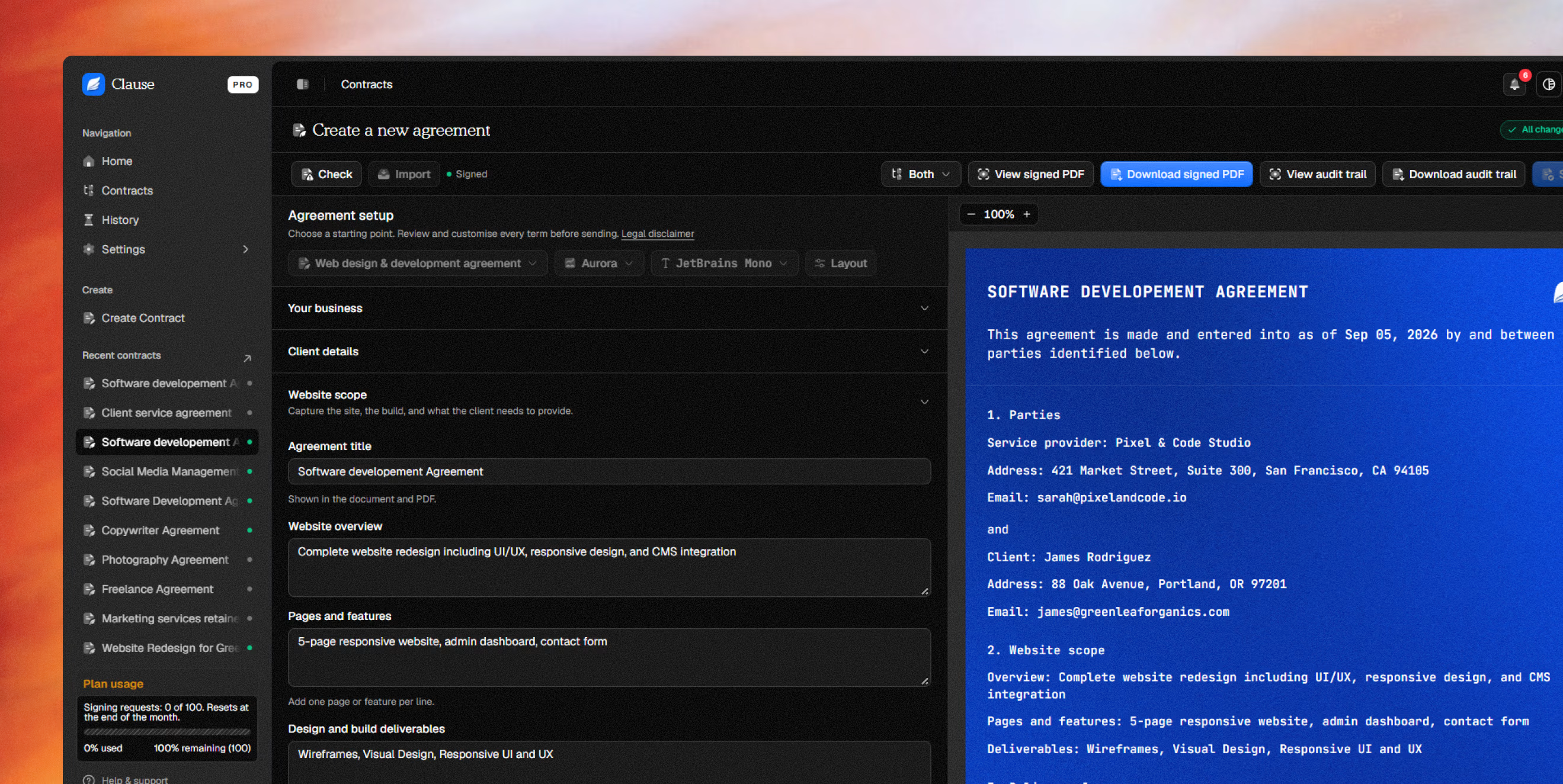
Start with the right agreement, add the details that matter, and keep client work moving from first draft to signed copy.

Give clients one place to review and sign, without asking them to create a Clause account.
Keep the final document and its delivery history together, ready whenever you need a clear record of the work.
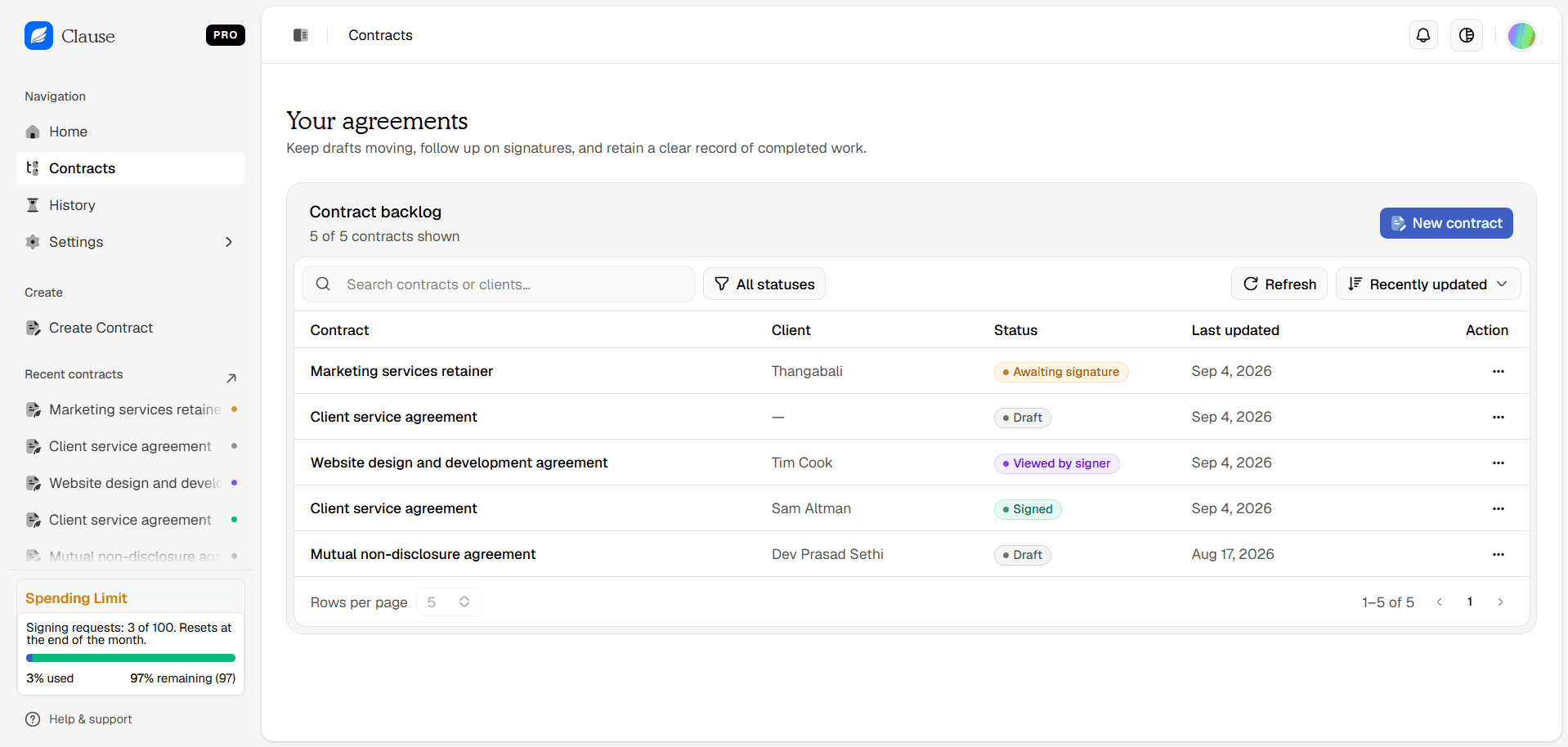
See every contract, client, and signing status at a glance.
Every agreement, its client, and the latest signing activity.
Contract 01
Marketing services retainer
Contract 02
Client service agreement
Contract 03
Website design & development agreement
Contract 04
Client service agreement
| S. no. | Contract | Client | Status | Last updated |
|---|---|---|---|---|
| 1 | Marketing services retainer | Maya Chen | Awaiting signature | Sep 4, 2026 |
| 2 | Client service agreement | — | Draft | Sep 4, 2026 |
| 3 | Website design & development agreement | Theo Martin | Viewed by signer | Sep 4, 2026 |
| 4 | Client service agreement | Daniel Brooks | Signed | Sep 4, 2026 |
Choose a tailored starting point, then make every term your own before sending.

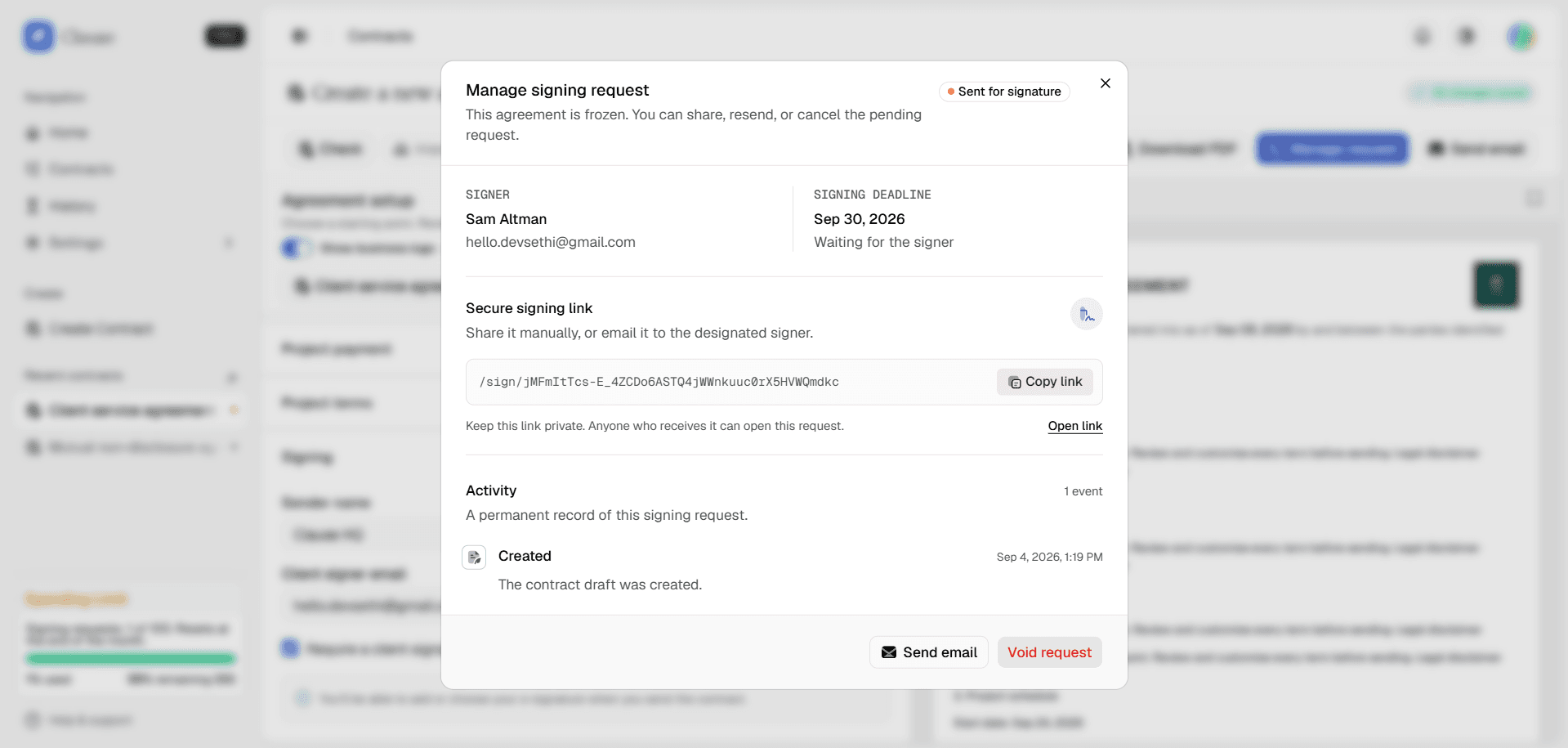
Send a secure signing link, see when it is opened, and keep it moving.

Security & data
A clear look at how Clause stores, shares, and removes the data behind your agreements.
Read about security and data accessClear answers about drafting, sending, signing, and keeping every agreement organised.
Clause is a web-based contract and electronic-signature product for freelancers and independent businesses. Create, send, sign, and track agreements in one workspace.
Yes. You can download a finalized PDF of a signed agreement and its audit trail from your contract workspace.
Signing links are unique and unlisted, but anyone with the link can view the attached agreement. Share them only with the intended recipient. A request stops accepting signatures after its deadline.
Yes. Choose a starting point, then edit the business details, client details, scope, payment terms, dates, and every term before sending.
No. Your client receives a secure signing link and can review and sign the agreement without creating a Clause account.
Clause records key moments in one timeline, including when a request is created, sent, opened, signed, or cancelled.
The final document and its delivery history stay with the contract, so you always have one clear record to return to.
No. Clause helps you prepare and manage agreements, but you should review and customise every term and get qualified legal advice when you need it.
Pro adds higher signing limits, custom branding, reusable templates, and complete delivery tracking for a more polished client experience.
Still have a question?
We're here to help you get unstuck.
About Clause
Clause is an independent contract workspace for freelancers and small service businesses. It keeps drafting, delivery, signing, and the permanent activity record in one focused place.

Built independently by Dev
Building thoughtful tools for client work.